
ReShoot: AI Photos & Edits
HubXLifestyle
4.6265.00 Reviews
- Version
- 1.4.2
- Installs
- 100.00K
- Age Rating
- Everyone
Screenshots
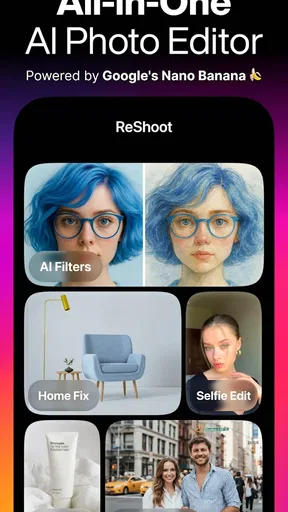
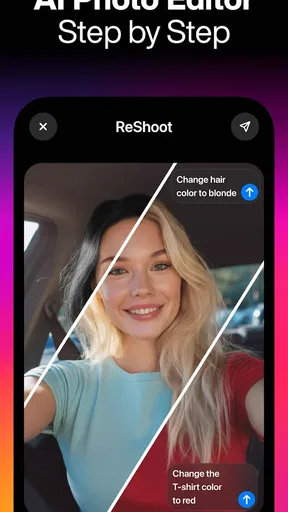
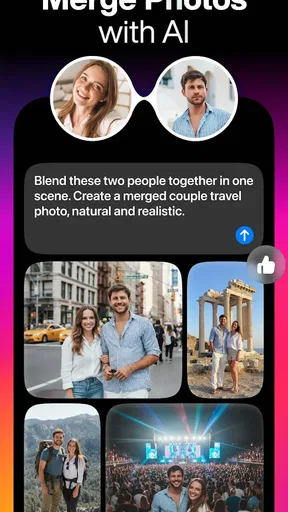
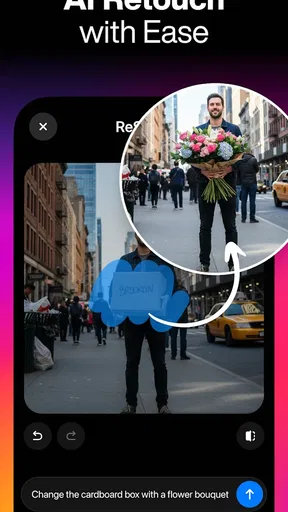
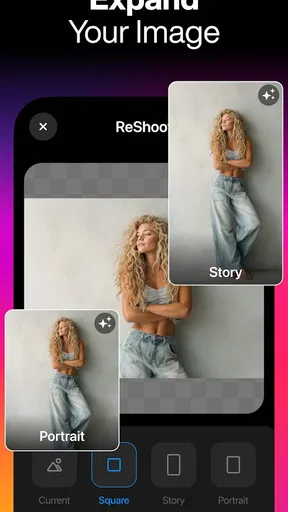
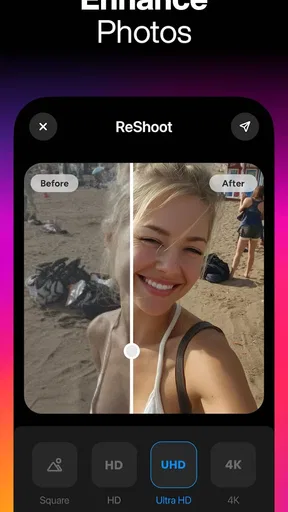
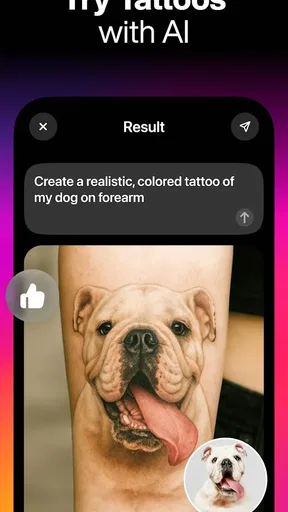
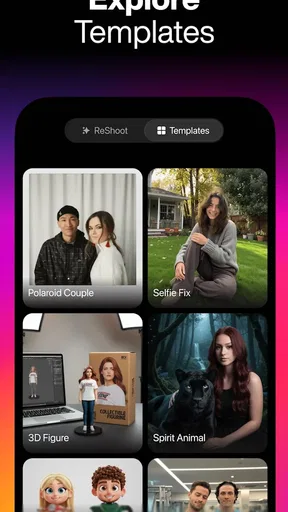
Our Review of ReShoot: AI Photos & Edits
 Analysis by Appyee
I found ReShoot: AI Photos & Edits most convincing when I treated it as a quick visual idea generator rather than a complete replacement for a traditional photo editor. It is a free lifestyle app from HubX that turns ordinary images into more stylized portraits, edits, filters, tattoo concepts, hairstyle variations, and polished-looking professional shots. The central appeal is speed: instead of building an effect manually, I can start with a photo and explore several directions with very little effort.
That convenience makes it easy to recommend for casual experimentation, profile-picture refreshes, and people who want to see how a visual change might look before committing to it. At the same time, I would not choose it for careful retouching, detailed compositing, or work where exact control matters. Its strongest quality is the distance it removes between an idea and a shareable image; its main weakness is that this same simplicity leaves less room for precise decisions.
What using ReShoot feels like in practice
The app’s focus is immediately clear from the way its tools are grouped around appearance and presentation. I can approach it with a specific goal, such as imagining a new hairstyle, or with a more open-ended question, such as whether a portrait would work better with a dramatic filter or a professional-looking treatment. That makes the experience less like learning a complicated editing suite and more like testing visual possibilities.
For a first session, I would begin with a well-lit image containing one clear subject. This is not just a matter of getting a prettier result. A simple source photo makes it easier to judge whether an effect is improving the picture or merely hiding details behind a strong style. I also found that starting with a clean original gives me a useful reference when comparing different treatments, especially when several versions look attractive at first glance.
The AI approach is particularly useful for people who know the result they want but do not know how to create it manually. A conventional editor may offer sliders, masks, layers, brushes, and adjustment panels, but those tools require time and a certain amount of visual confidence. ReShoot moves the decision higher up the process: I choose the kind of transformation I want to explore, then evaluate the result. That is a meaningful difference for beginners.
It also changes the way I think about editing. Instead of spending ten minutes refining one uncertain idea, I can use the app to test whether the idea is worth pursuing at all. For example, a tattoo concept may be easier to discuss after seeing a rough visual placement on a photo. A hairstyle variation can help someone decide whether a general direction suits their face before showing a reference to a stylist. These are not final professional simulations, but they can make a vague thought much easier to communicate.
Where the creative tools are most useful
The professional-shot style is one of the more practical areas for everyday users. Many people need a better image for a profile, introduction, portfolio page, or social account but do not have access to a studio setup. ReShoot can help explore a more polished presentation without requiring knowledge of lighting, posing, or portrait retouching. I would still check the result carefully, because a professional mood is not the same as an authentic headshot, but the tool is useful for discovering what kind of image feels appropriate.
Filters are more immediately familiar, yet they work best when I use them selectively. A strong filter can make a casual photo feel intentional, but it can also flatten skin texture, shift colors too far, or make the image look less like the person in it. My practical tip is to compare the edited version with the original before deciding. If the effect is the first thing I notice, it may be doing too much. The best result is often the one that changes the mood without overwhelming the subject.
Hairstyle and tattoo concepts have a different value. They are not only decorative edits; they can function as conversation tools. I can save a few directions and use them to explain what I like or dislike. The important trade-off is that an AI preview should be treated as an approximation, not a promise of how a real haircut, tattoo, or physical change will look. Face shape, hair texture, skin tone, body movement, and lighting all affect the real outcome.
Another useful workflow is to keep the original photo untouched and create variations from it one at a time. That makes it easier to remember which version came from which idea. If I apply several changes in a single creative session, it becomes difficult to tell whether the final image works because of the hairstyle, the filter, the portrait treatment, or the combination. Separating those experiments produces a more honest comparison and helps prevent an attractive but confusing result.
The real limitation: speed does not equal control
My biggest reservation is the limited sense of fine-grained control that comes with an AI-first experience. ReShoot is good at proposing a finished direction, but users who want to adjust one small area while preserving everything else may find the process less satisfying than a conventional editor. If I need exact skin correction, careful background cleanup, precise color matching, or a controlled change to only one object, a dedicated editing app is likely the better choice.
This matters because a visually impressive transformation can still contain details that need inspection. Hair edges, facial features, accessories, patterns, and the relationship between a person and the background deserve a close look before an image is shared. The more dramatic the requested change, the more important this check becomes. I would never assume that a polished preview is automatically accurate simply because it looks convincing at a glance.
The app is also not ideal for users who prefer to understand every step of an edit. Traditional tools expose their process, while AI tools emphasize the outcome. That can feel liberating when I want speed, but frustrating when I want repeatability. If I need to reproduce the same visual treatment across a set of images, maintain strict brand consistency, or make a series of small deliberate adjustments, I would lean toward a more manual workflow.
Cost is another point to consider before getting invested. ReShoot is free to start, while in-app purchases range from $2.99 to $69.99 per item. That broad range means I would look carefully at what is available before treating the app as a regular editing service. A quick experiment may be easy to justify, but frequent use can become a different decision, especially for someone who already has a capable editor. The convenient workflow is valuable, but convenience should be weighed against how often I will actually use the generated results.
I would also avoid judging the app only by its most dramatic examples. AI photo tools naturally show their strengths when the source image fits the intended effect. A clear portrait with a useful composition gives the system more to work with than a dark, crowded, or heavily obstructed photo. When a result is disappointing, trying a better source image may help, but it does not remove the need for realistic expectations. The app can reinterpret a picture; it cannot guarantee that every starting image is suitable for every transformation.
Who should download it, and who should look elsewhere
I think ReShoot is a strong fit for people who want quick creative feedback. If you are updating a profile image, exploring a new look, preparing a visual reference, or simply curious about how a portrait might change, the app offers a low-friction way to begin. It is especially approachable if traditional editors feel crowded or intimidating. The Everyone content rating also makes it suitable for a broad general audience, although individual users should still apply common sense when sharing edited personal images.
It is also useful for someone who often has an idea but lacks the technical vocabulary to execute it. Rather than searching for the correct combination of adjustments, I can start from the intended outcome: a different hairstyle, a tattoo preview, a more professional portrait, or a new visual mood. That outcome-based approach is the app’s clearest advantage over many standard editing alternatives.
On the other hand, I would skip it if my priority is pixel-level precision. Photographers, designers, social media managers handling a consistent visual identity, and anyone preparing images for a specific professional specification may need tools with more transparent controls. ReShoot can help with brainstorming, but I would not make it the only step in a demanding production workflow.
It is also a weaker match for users who dislike stylized or synthetic-looking results. Even when an image is attractive, the transformation may not preserve every personal detail in the way a careful manual edit would. If authenticity is more important than novelty, subtle adjustments from a conventional editor may be preferable. ReShoot is at its best when I accept that the result is an interpretation, not a neutral correction.
For an everyday scenario, imagine that I need a new profile picture before a casual online introduction. I could choose a clear portrait, test a professional-shot direction, compare it with a restrained filter, and keep the version that still feels recognizably like me. I would then inspect the face, hairline, clothing, and background before sharing it. If none of the results feels natural, I would return to the original rather than forcing the most polished-looking option. That last step is important: the app should support judgment, not replace it.
What the app’s current position tells me
ReShoot is still a relatively new arrival, released on September 8, 2025, and its current version is 1.4.2. It has already reached over 100 thousand installs, with a 4.6 average from around 4.4 thousand ratings and 265 written reviews. Those figures suggest that the concept is connecting with a meaningful group of users, but I would still evaluate it through actual results rather than popularity alone. AI editing quality can vary considerably depending on the source image and the requested style.
The minimum operating-system requirement is Android 9, which keeps the app accessible to many existing devices. That matters for a tool built around image processing, since users may be bringing photos from a wide range of phones. Even so, the quality of the final image depends on more than compatibility. Screen size, camera quality, available storage, and the condition of the original photo can all influence how comfortable the complete workflow feels.
In comparison with the usual alternatives, ReShoot is closer to an idea-and-result tool than a traditional photo workstation. A manual editor gives me more authority over the process, while a social filter app may prioritize instant sharing and familiar effects. ReShoot occupies the space between them: it offers more imaginative appearance changes than a basic filter collection, but less detailed control than a professional editor. That middle position is useful, provided I understand what I am trading away.
One of my favorite ways to use it is before opening another editor. I can use ReShoot to discover a direction, then recreate or refine the most useful parts elsewhere if the image matters enough. This two-stage workflow avoids wasting time manually building an effect that does not suit the photo. It also keeps the app in the role where it performs best: rapid exploration followed by human selection.
Privacy-minded users should follow the same sensible habit they would use with any photo service: think carefully before uploading images that contain other people, private documents, or sensitive personal details. I would reserve ordinary, non-sensitive photos for experimentation unless I had a clear reason to use something more personal. This is less about the app’s creative capabilities and more about maintaining good boundaries when working with personal imagery.
There is also a social consideration. A heavily transformed portrait may attract attention, but it can create an inaccurate expectation if it is used as a literal representation of appearance. I would use the professional-shot and beauty-oriented options to improve presentation, not to conceal information that matters. For profile images, a recognizable and believable result usually serves better than the most dramatic transformation.
My verdict after testing the concept
ReShoot is best understood as a fast visual sandbox for AI-assisted photo ideas. It makes hairstyle changes, tattoo concepts, filters, portrait treatments, and professional-looking variations approachable without asking me to master a complicated editing interface. The strongest benefit is not that every result will be perfect; it is that I can explore several possible directions quickly and decide which one deserves more attention.
The limitations are equally clear. Users wanting exact retouching, dependable consistency, or complete control may become frustrated. The free entry point is appealing, but the in-app purchase range from $2.99 to $69.99 per item deserves attention before regular use. I would also inspect every image closely and treat physical-change previews as visual references rather than accurate predictions.
For me, the recommendation is straightforward: try it if you enjoy experimenting with your appearance or need a fast way to develop a portrait idea. Keep a traditional editor nearby if the image has professional consequences or requires careful correction. With that expectation, ReShoot: AI Photos & Edits is a useful creative shortcut, and I can see why it has earned a 4.6 average from around 4.4 thousand ratings. It is not a universal editing solution, but for quick, imaginative transformations, it earns a place on my phone.
The app is free to download, rated Everyone, and developed by HubX. I would begin with a simple photo, test one transformation at a time, compare each result with the original, and only then decide whether a more elaborate edit or an optional purchase is worthwhile. That approach gets the most value from its speed while keeping the final decision firmly in my hands.
Verdict
Strengths of ReShoot: AI Photos & Edits
- Creates polished AI portraits from ordinary photos.
- Offers creative styles for social media profile pictures.
- Editing tools are simple enough for beginners.
- Multiple visual effects make experimentation enjoyable.
- Results can be saved and shared directly from the app.
Limitations of ReShoot: AI Photos & Edits
- High-quality AI generations may require a paid subscription.
- Some styles can produce unnatural facial details.
- Processing time depends on image complexity and connection speed.
- Privacy concerns may matter when uploading personal photos.
- Free usage may be limited by credits, ads, or watermarks.
Other Releases by HubX
View All
Home AI - AI Interior Design
Lifestyle4.3

DaVinci - AI Image Generator
Art & Design3.6

AI Video - AI Video Generator
Photography4.5

MyTunes : AI Music Generator
Entertainment4.3
Similar Picks in This Category
View All
SmartThings
Samsung Electronics Co., Ltd.4.6

Google Home
Google LLC4.0

Pinterest4.2

Astrotalk - Talk to Astrologer
Astrology & Horoscope4.7

My Verizon
Verizon Consumer Group4.5

Samsung Wallet (Samsung Pay)
Samsung Electronics Co., Ltd.4.1
Frequently Asked Questions
What is ReShoot: AI Photos & Edits used for?
ReShoot: AI Photos & Edits is designed for creating and enhancing images with artificial intelligence. Users can experiment with AI-generated photo transformations, apply creative edits, improve the appearance of existing pictures, and produce social-media-ready visuals. It is aimed at people who want quick results without using complex professional editing software, although the final quality can depend on the original photo and the selected effect.
Is ReShoot: AI Photos & Edits free to download and use?
The app may be available to download at no initial cost, but some tools, effects, export options, or advanced AI features can require in-app purchases or a subscription. Before confirming a payment, users should check the current pricing, trial terms, renewal conditions, and whether a free version includes watermarks or limits. Availability of specific features may also vary between Android and iOS.
Do I need an internet connection to use ReShoot?
An internet connection is generally important for AI-powered editing because photos may need to be uploaded for processing on remote servers. Basic features or previously downloaded content might work differently depending on the app version, but users should not assume that the complete editor functions offline. A stable Wi-Fi or mobile-data connection can also help prevent failed uploads, slow processing, or incomplete exports.
Are my photos and personal data safe when using ReShoot?
Before uploading personal, private, or sensitive images, users should review ReShoot’s privacy policy and permission requests. AI photo apps may process images, account information, device data, and usage statistics to provide or improve their services. Avoid uploading photographs containing confidential documents or other people without permission, and check how long images are stored, whether they are used for training, and how deletion requests are handled.
What kind of photos work best with ReShoot: AI Photos & Edits?
Clear, well-lit images with visible subjects usually produce the most convincing results. Portraits with unobstructed faces, good contrast, and moderate resolution tend to work better than blurry, heavily compressed, or crowded photographs. Results can still vary because AI effects may alter facial details, hair, clothing, backgrounds, or proportions. It is worth testing several prompts or styles and checking the final image carefully before sharing it.
